
Ascendence vs. Squarespace side-by-side comparison for agencies
Which website builder offers the best features, code integration customization & flexibility? And which gives agencies more value for their business?
White label
Client Management
Team Collaboration Tools and Approval Workflows
Design Features & Flexibility
Editor Ease of Use
Website Templates
Backup & Restore, Site Cloning
Website Personalization
SEO
Online Store
Site Export and Portability
Revenue Stream Control
Pricing
Support
Data-driven site content
Access to code when needed
Multilingual Websites
Local Business Features
Ascendence
White label dashboard, editor, stats, analytics, emails, and preview links to support the agency brand.
Custom roles and permissions, Site Comments, direct content upload by clients and more.
Custom team roles and permissions. Website sections, templates and widgets can be shared between team members, and clients can provide design feedback via Site Comments.
Pre-built and custom widgets and templates to create fun-to-use, personalized websites and dynamic web pages.
Ascendence intuitive drag-and-drop editor is fast, easy to use, and comes jam-packed with an exhaustive list of features.
Ascendence has a wide variety of thoughtfully designed templates that are made to deliver conversions and business results.
Auto and manual backup features, one-click backup/restore, easy site cloning saves you time.
Robust Personalization Engine. Custom rules and triggers based on time of day, visitor location and more.
The Ascendence platform is designed and built to be aligned with Google’s recommended practices for speed, security, Lighthouse, and SEO.
eCommerce solution is easy to set up and compatible with an ever-growing number of payment processors. Product fields optimized for SEO.
You are free to export site code and content anytime.
You set the prices you charge your customers for your services; the Ascendence plan you pay for is not exposed to the end client.
Ascendence has pricing plans tailored for agencies with multiple clients.
Top-notch customer support with a satisfaction rate of 98%.
Ascendence can connect to internal or external databases and populate site elements.
Edit any site element’s JavaScript, HTML or CSS in Developer Mode. REST API access, Custom Widgets, Webhooks.
Supports multilingual sites.
Local listing and reputation management apps, map widget for single / multiple locations, local business schema widgets, posting to Google & Facebook.
SQUARESPACE
Does not offer white label tools or features. Squarespace’s brand is present.
No similar tools for client management.
Limited authorization of contributors to each website, no design assets sharing, no site comments.
Limited flexibility. Blocks and features are less customizable and must be added as whole sections. No custom blocks or dynamic pages.
Squarespace’s editor has a steeper learning curve.
Squarespace primarily offers portfolio-type templates for bloggers, photographers, and artists.
No native integrated backup and restore capabilities.
Personalization is limited to popups & announcement bars.
Offers basic on-page SEO resources.
eCommerce solution adequate for smaller businesses. Limited payment processors.
For technical users, Squarespace supports export of some site content through an XML file.
Your clients will be shown Squarespace’s pricing and, if the account is in their name, the client will be billed by Squarespace.
Pricing by the site. No multi-site plans.
Email, chat & online knowledge base. No phone support.
No dynamic pages feature, some 3rd-party integrations.
Developer Mode for certain site elements.
Offers manual, labor-intensive translation of pages.
No local listing management available.
Ascendence vs. Squarespace
point-by-point

WHITE LABEL

CLIENT MANAGEMENT

TEAM COLLABORATION

APPROVAL WORKFLOWS

Editor ease-of-use

Design Features & Flexibility

customization

Backup and Restore

Sites designed to convert

SEO

Online Store

Site portability

Revenue stream control

Multi-site pricing

Support

Data-driven site content

Access to code

Multilingual Websites

Local Search Optimization
White label options
Which one lets your agency’s brand shine?
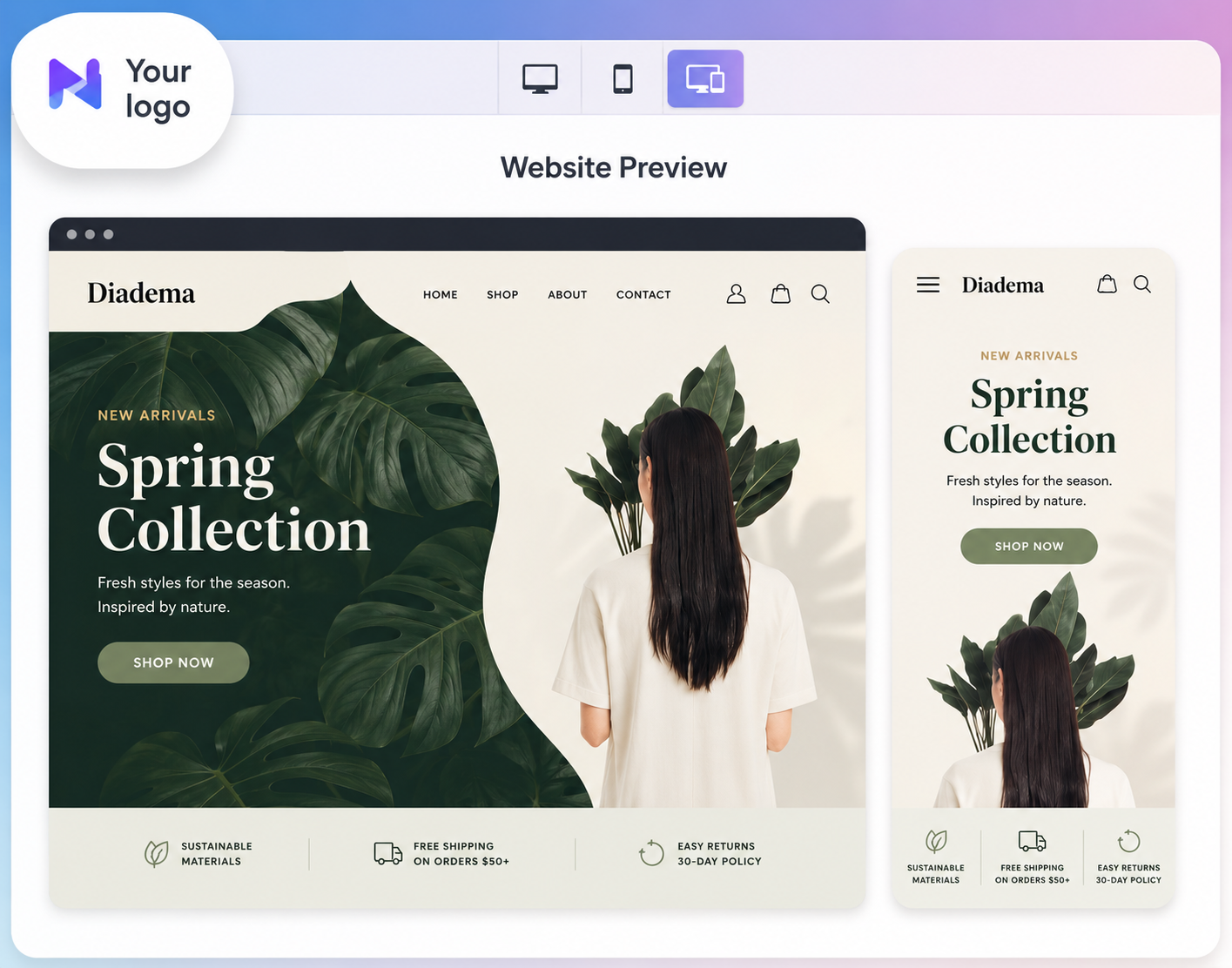
Ascendence fully white label-enabled platform allows your web agency to use its web design tools completely under your brand. You can provide your clients with a cohesive user experience by adding your logo and colors to Ascendence’s editor, preview tools, stats emails, dashboard and white-label marketing materials.
Squarespace offers no white label features and is largely marketed towards individual entrepreneurs and SMB owners.
Client management
Can you manage multiple clients from a single dashboard?
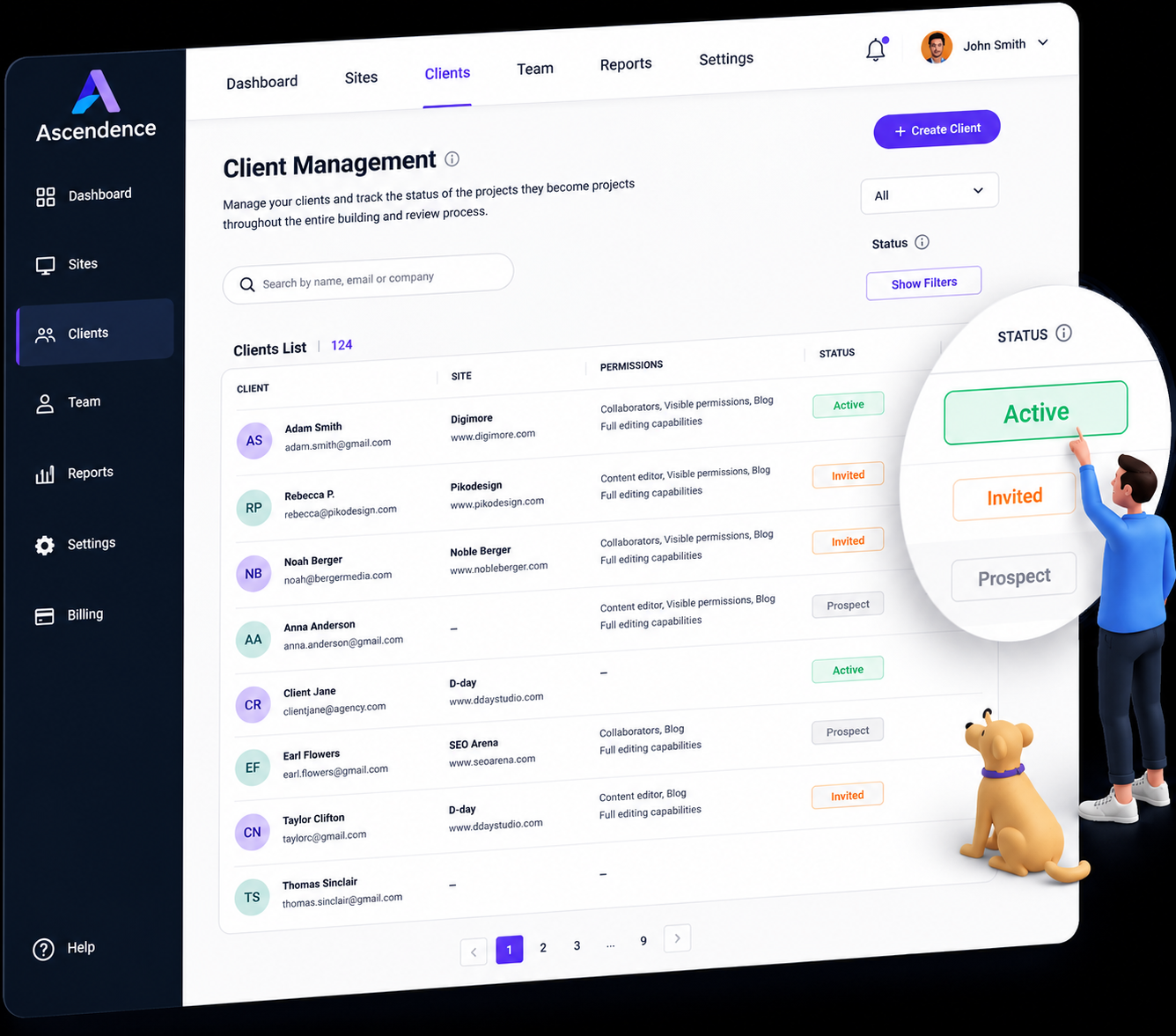
Ascendence client management dashboard allows your agency to manage all of your clients from one place. You can easily check a client’s profile, set permissions, keep track of leads and more for a smoother, more efficient workflow.
Squarespace does not offer these types of client management tools. At best, the platform offers a ‘Contributor’ feature that allows agencies to access a client’s website through their dashboard.
Team Collaboration Tools
How do you set up different access levels for different team and client roles?
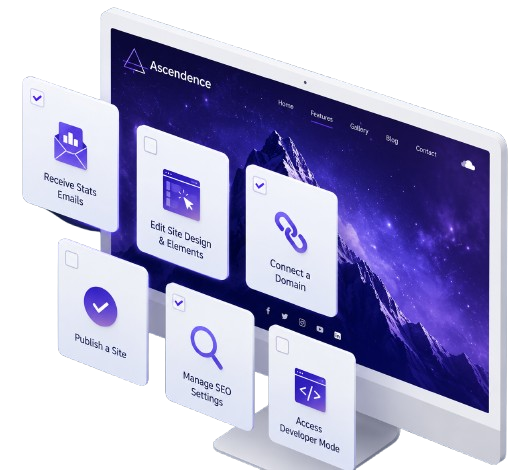
With Ascendence, your team members can access all sites in an account and customize permissions by individual or group. In addition, templates, sections and widgets can easily be shared with team members and saved for future projects to make site-building a faster, more productive process.
Squarespace offers creation of ‘Contributor’ roles within “groups” such as site owners, admins, editors, billing personnel and store managers. Individual users can be added to different groups, but there is no way to assign individual permissions or share design elements between group members.

Approval workflows
What workflows exist for client content review and approval?
Ascendence Site Comments feature enables your team members and clients to have a real-time dialogue as you build websites. Each comment is linked to a specific site element, and will trigger a notification via email for faster review and approval. That way, you can handle all communication from one convenient location –– the website being built.
Squarespace does not offer this type of capability. Your team and clients will have to use additional tools outside of the Squarespace platform to facilitate design review and feedback.
Editor ease of use
Which is the best drag-and-drop website builder editor?
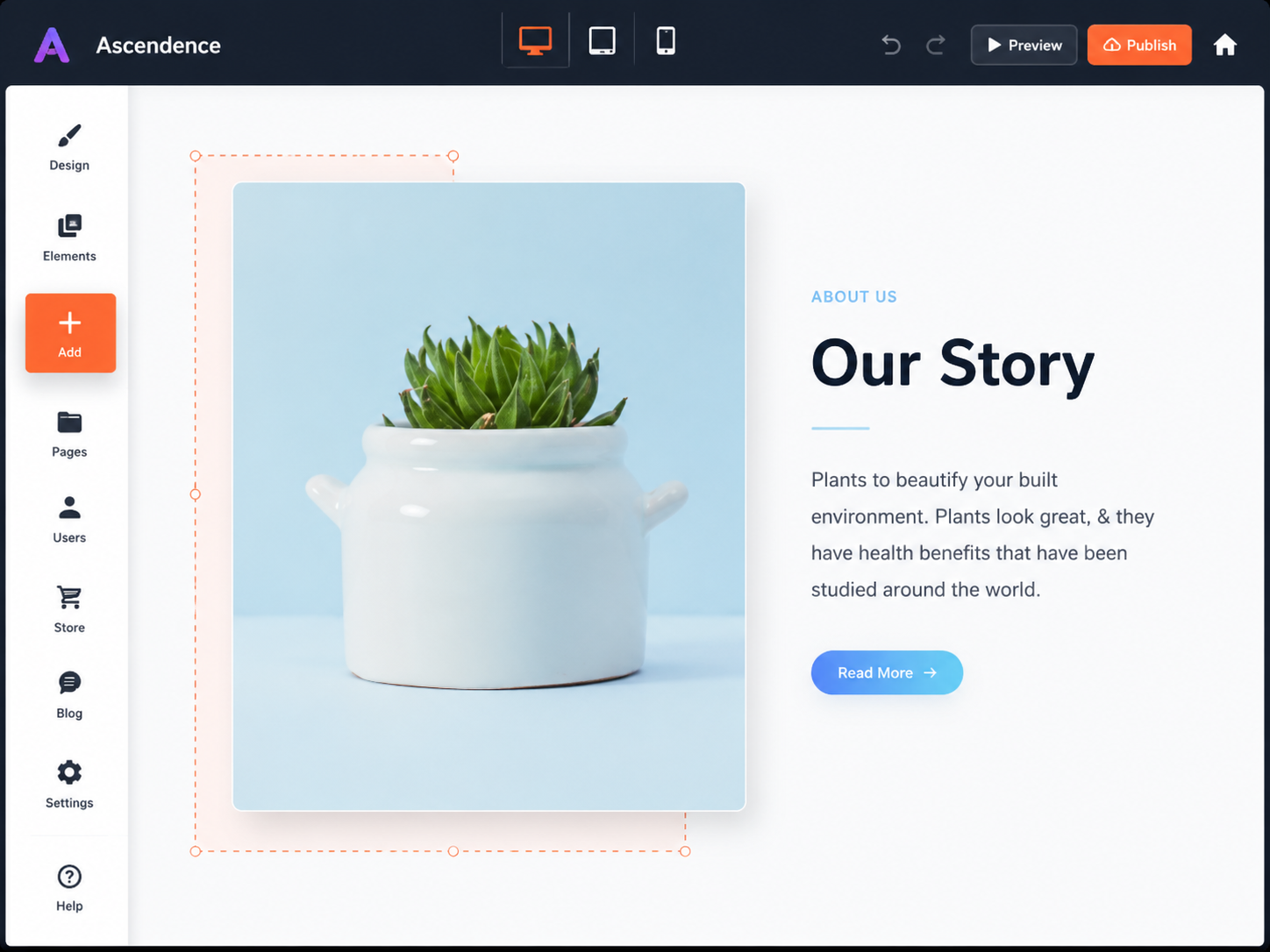
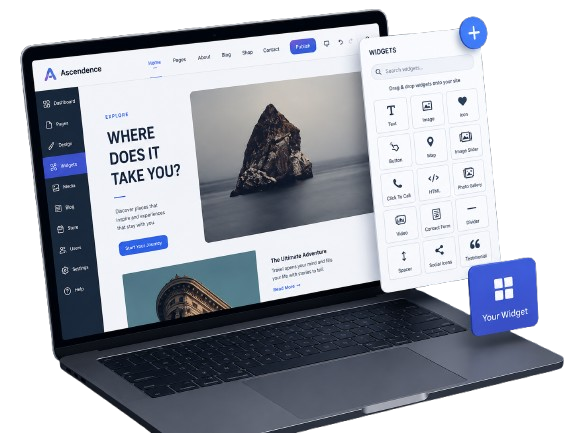
Ascendence intuitive drag-and-drop editor is fast, easy to use, and comes jam-packed with an exhaustive list of features. Site Theme functionality enables you to change the fundamental design from one location, and you can easily copy and paste multiple sections, rows and columns, up to entire pages. You can add a row to any header or footer with one click, and auto-generate columns and rows as you drag widgets.
Squarespace’s editor has a steeper learning curve, especially since you can’t drag and drop elements as freely as you can the Ascendence editor or copy and paste assets. You’re also required to add an entire section for each block added to your site, and certain design elements along with headers and footers are fixed to specific templates.
Design Features & Flexibility
Who offers easy configuration of complex web design features?
Ascendence supports a large library of SMB-friendly widgets including Click to Call, Multi Location Map, Restaurant Menu, Yelp Reviews, Yext Knowledge Tags and more. You can also build custom widgets to extend out-of-the-box functionality and use Ascendence Dynamic Pages feature to automatically build web pages from collections of data.
Squarespace offers basic block configuration through the editor, but it is not possible to select more advanced, business-friendly block configurations. Custom blocks and dynamic pages may be created in Squarespace, but more developer work (and time) is required to implement these features.
Website templates
Which builder allows for more customization for templates and mobile sites?
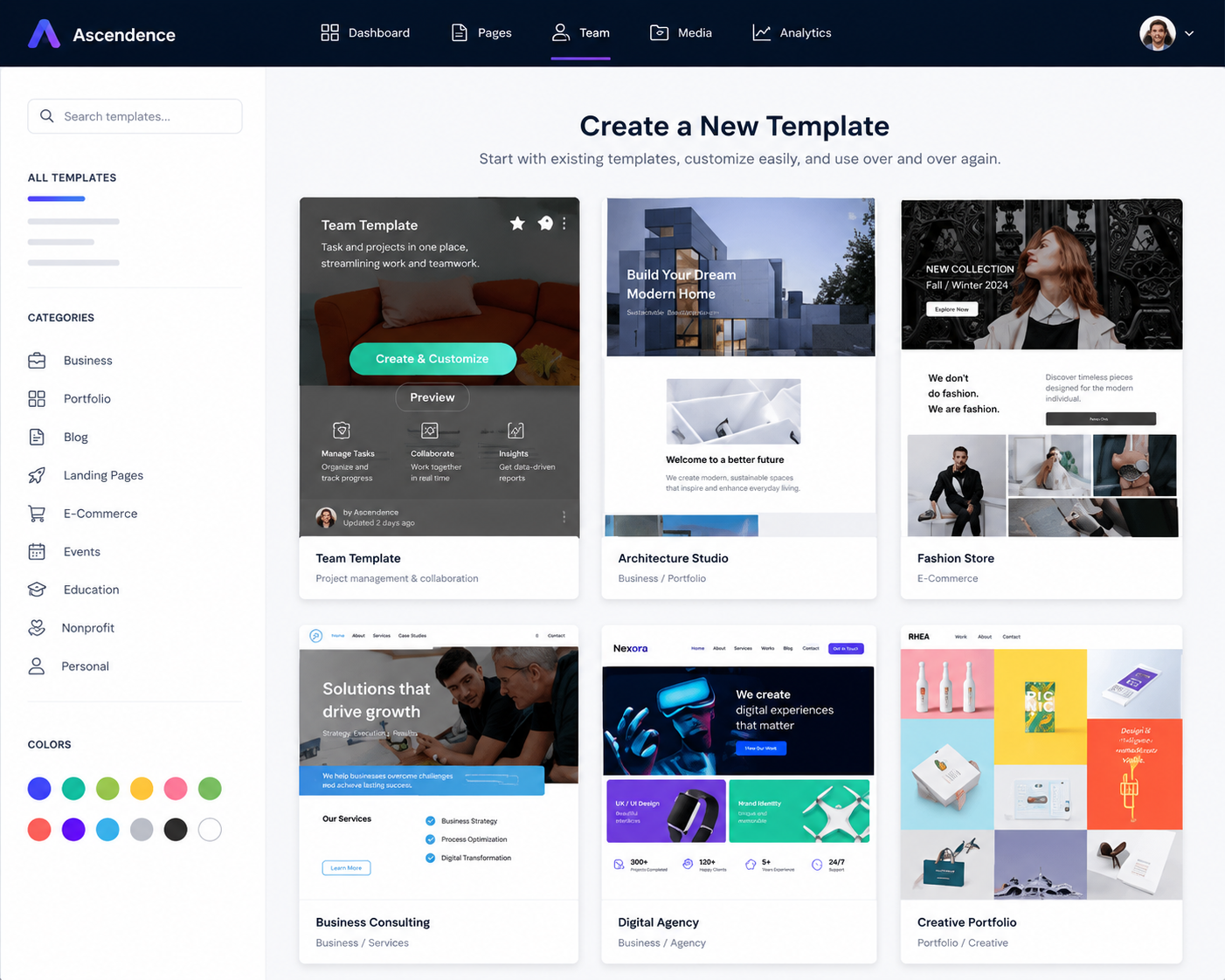
Ascendence has over 100 thoughtfully designed templates that can easily be edited for a variety of applications, and a blank template that enables users to build sites completely from scratch. All widgets and site features are available in all templates, so you won’t have to switch templates in order to achieve a particular design. Anytime you build sites on the Ascendence platform, you maintain full control over how they will look and function on desktop, tablet and mobile.
Squarespace primarily offers sleek templates for entrepreneurs, bloggers, photographers and artists, but they’re not necessarily practical for business and eCommerce sites. Since certain design blocks are only available on select templates, your selection can be limited depending on the type of site you want to build. Editing and previewing are allowed for desktop and mobile modes, but there are less options for design customization.
Backup and Restore
Which website builder helps you backup and restore unlimited versions of your site?
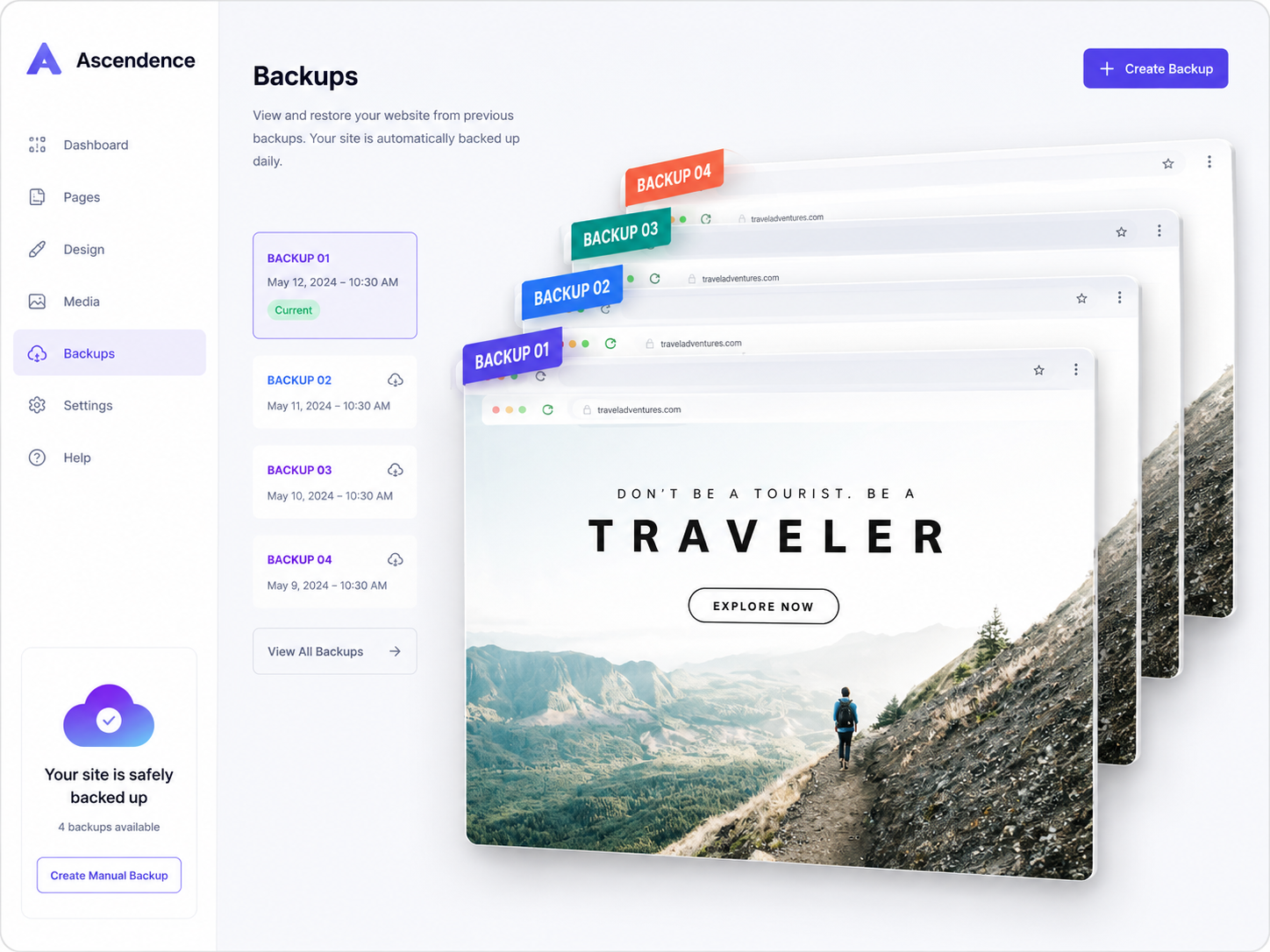
Every time a website is published on Ascendence, it’s automatically backed up. Users also have the option, with one click, to manually create a backup at any time or restore a site to an earlier version.
Additionally, Ascendence sites can be duplicated from an agency’s dashboard with a single click. The Dynamic Pages feature enables you to build multiple web pages from data by connecting a database such as Google Sheets or Airtable to a master layout and widgets. This feature is ideal for creating sites containing multiple pages that have the same structure but different content such as real estate listings, catalogs and landing pages.
Squarespace does not have a feature that allows users to manually back up a website or restore it to an earlier version. Instead, the platform performs its own internal, automatic backups behind the scenes. Deleted pages can be restored for up to 30 days, while deleted blocks and sections cannot be recovered.
Sites designed to convert
What level of end-user personalization is available?
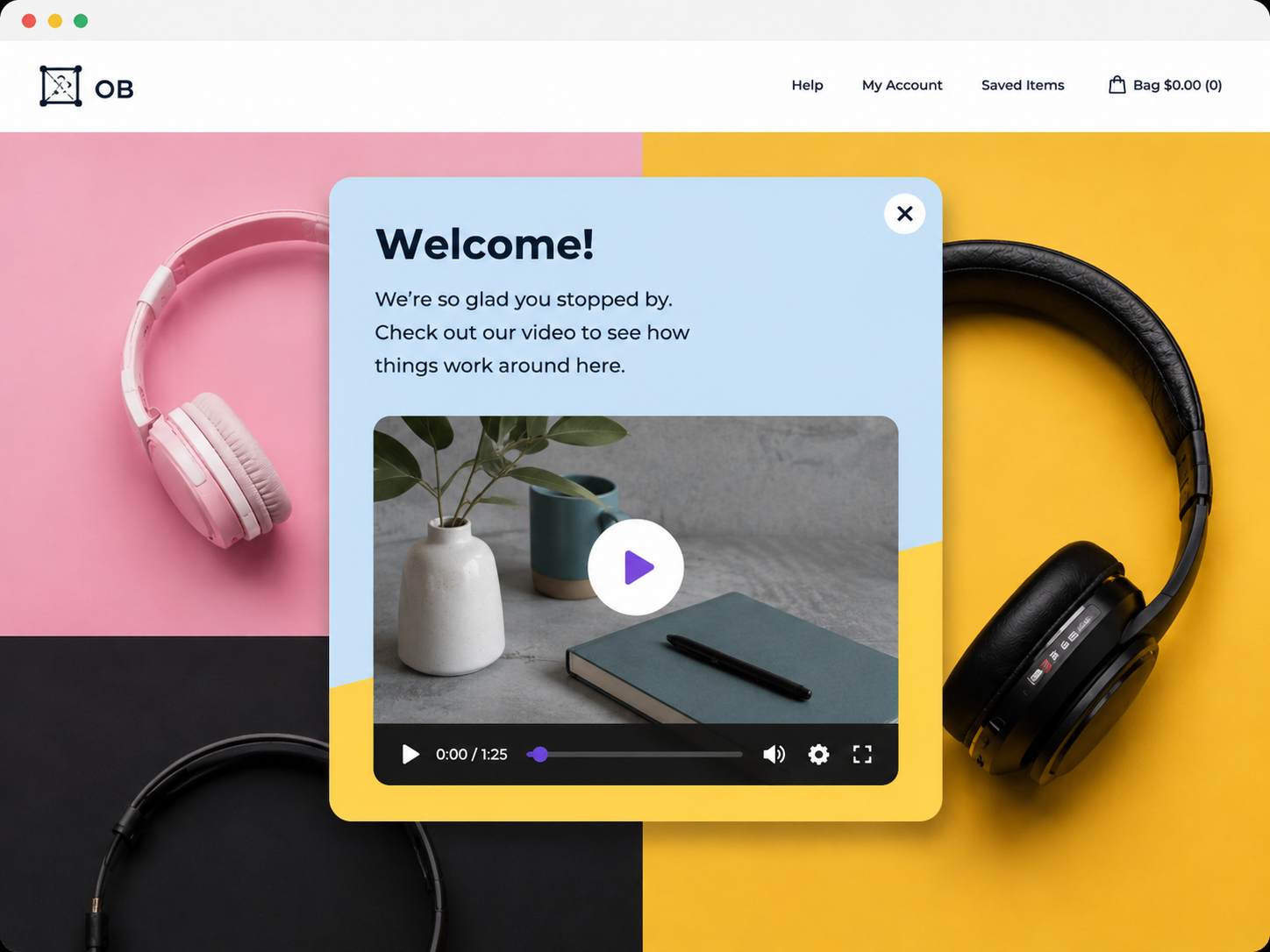
Ascendence Personalization Engine enables your agency to enhance every client’s site with conversion-boosting elements such as pop-ups, clicks-to-call and more based on site visit and site visitor criteria such as date, time and location. These elements can be triggered through a variety of rules based on campaign tracking codes, user device type, and other information.
Squarespace has very limited personalization tools such as email signup pop-ups and announcement bars (available only on the Business or Commerce plan). Unfortunately, these rules can be quite challenging to set up and deploy, and only two pop-up actions are offered: ‘newsletter signup’ or ‘click a button.’
SEO
Which website builder handles SEO better?
The Ascendence platform is designed and built to be aligned with Google’s recommended practices for speed, security, and SEO. This includes fast content rendering for higher Google Lighthouse test scores, intuitive access to on-page SEO settings such as keywords and descriptions, automatic SSL encryption and sitemap generation for every Ascendence-built site.
On Squarespace, SEO configuration can be cumbersome. Extra time is required to set up meta tags or change an image’s alt text. Page title and URL, SEO title and description, and social images are all found in separate tabs, and recommendations are not made for image sizes. To create page redirects, the user has to use the Mapping Panel (a separate tool altogether) and ‘image file name’ is not supported.
Online Store
Which website builder can implement your payment processor gateway?
Ascendence online store is a complete eCommerce solution with an easy product setup, SEO optimized URLs and integrations with Facebook, Instagram and Google Shopping. You can choose from many different payment processors and enable offline payments. Ascendence-built online stores can synchronize with Square POS, and you can implement customizable discount coupons for single or multiple products, product categories, customer groups and more. No transaction fees apply.
Squarespace’s eCommerce feature allows unlimited products, but lacks straightforward integration with payment processors, shipping, and marketing software, all of which can make setting up a fully functional online store a tedious task. Coupons can be applied to the entire store, but not by specific product. It’s also important to remember that Squarespace charges personal accounts a 3% transaction fee, while business accounts are charged only 2%.

Site portability
Can you export site code and content?
Once built, any Ascendence site can be exported and downloaded at any time. This can be done on-demand using the built-in Ascendence site export feature. Every site export contains a ZIP file with the editor preview HTML, CSS and images of the site in a format that can be installed on your external web server.
Squarespace supports the export of some page content through an XML file. However, a full site export is not possible as many design elements are reliant on the platform’s code.
Revenue stream control
Can you set your own prices for hosting and related services?
You get to choose the best Ascendence plan for your agency’s account (which is kept strictly confidential) and you have full control to set the prices you charge your customers for your own web design services.
Squarespace keeps a billing contact on file to receive direct payment. Since the Squarespace platform cannot currently be white-labeled, they control the prices, payment, and relationship with whomever is paying the bill for the account.


Multi-site pricing
How does pricing compare for managing dozens of sites or more?
For agencies needing to build websites at scale, Ascendence provides a cost-effective solution. For example, the Ascendence Agency plan, which supports multiple client websites. Additionally, since Ascendence sites can often be built in a fraction of the time it would take on other platforms, agency costs related to production time may be reduced as well.
Squarespace does not offer any plans that support more than one site. A plan must be purchased for each site you build.
Support
How does Ascendence and Squarespace support compare?
Ascendence support has a 98% customer satisfaction rate, with rapid response times in every channel. For agencies with larger numbers of sites on Ascendence, a team of dedicated Account Managers and product experts are ready to provide further assistance, according to your site volume.
Squarespace offers support via email, chat and an online knowledge base for frequently asked questions; no phone support is available for Squarespace.

Data-driven site content
Can sites be driven from databases, Google Sheets, or Airtable?
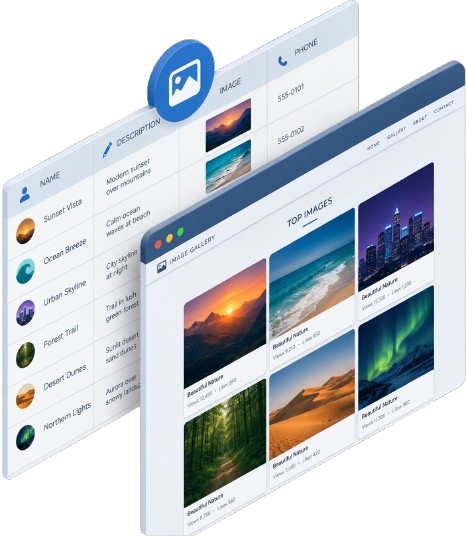
Ascendence Content Library allows your agency to connect site elements to data pulled from a content collection form, or from an internal or external database such as Google Sheets or Airtable, with no coding required.
On Squarespace, limited integration with Google Sheets is possible via a 3rd-party integration.
Access to code
How deeply can you get into the underlying HTML, CSS, JavaScript?
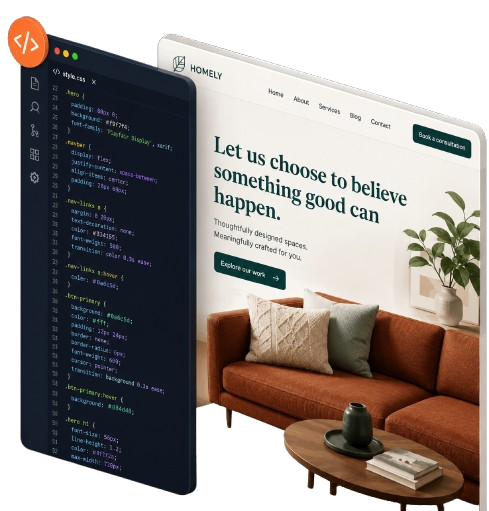
Ascendence Developer Mode gives you access to view, edit and change your website's HTML, CSS and JavaScript for advanced customization when desired.
Squarespace allows you to edit CSS, but with limited customer support for complex custom code applications. Developer Mode offers template customization, but without an option to customize individual blocks. Moreover, users will need to use Git or SFTP to connect and edit the HTML.
Multilingual Websites
Who makes translating your site easy and efficient?
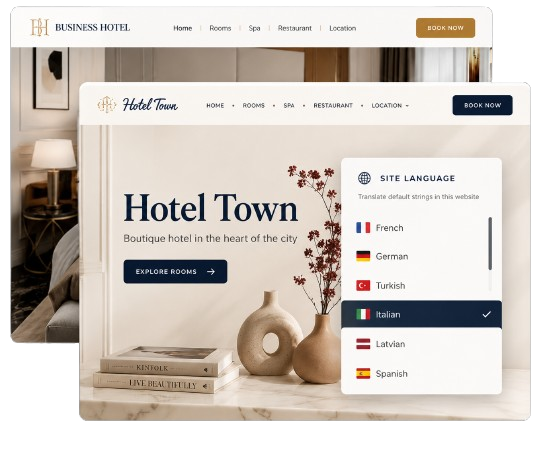
Ascendence understands the importance of incorporating multi-language features into your clients’ websites and online stores. The translation feature uses Google Translate as a base, from which the content can be further adjusted inside Ascendence editor.
While it is possible to create a multilingual site in Squarespace, the process is much more manual and much less intuitive. Users will have to create a homepage linking each visitor to the version of the website in their preferred language then build multi-language pages and menus.
Local Search Optimization
Which website builder is best for local businesses?
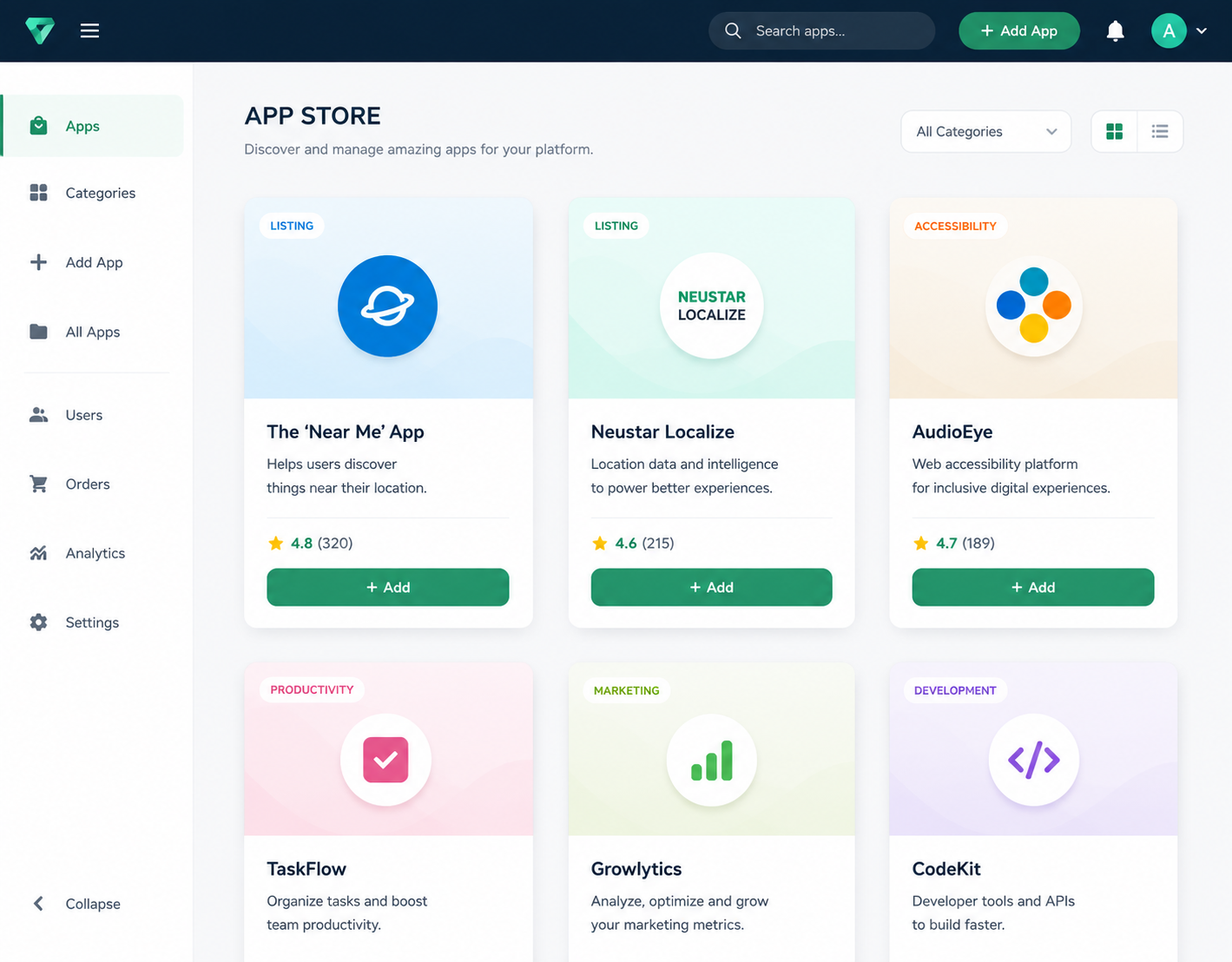
Ascendence offers app integrations and widgets that are hyper-relevant and useful to local businesses. With the Uberall and Neustar Localeze apps, businesses can ensure their data remains consistent and up-to-date (across multiple online locations), maintain reputation management, and post directly to Google and Facebook. Pre-built widgets for Business Hours, Yelp Reviews, Yext, Open Table Reservations, Map, and Multi-Location Map can quickly be added to any template along with your agency’s custom-developed widgets such as IDX, mortgage calculator and more.
Squarespace does not have local listings software integration within their platform and you will have to use plugins for added functionality.
The Ascendence vs. Squarespace verdict
Either Ascendence or Squarespace can be used to create beautiful websites for small businesses, but when one evaluates the agency’s specific needs and workflow, the two platforms diverge.
For agencies that intend to build sites at scale, only Ascendence has designed-in features for robust client management, pricing that scales attractively for the agency use case, and white-label options that enable the agency itself to be the focus of the relationship with its clients, features that are unmatched by Squarespace.